
Krab OnBoard 2.0
Complete on-board measurement platform for Windows
Windows on-board measurement software — track geometry, profiles, corrugation and clearance
Standards Compliance
✓ EN 13848 • EN 13231 • EN 15273
Why Choose Krab OnBoard 2.0?
Multi-Function Platform
Track geometry, rail profiles, corrugation and clearance in one program. Comprehensive measurement without multiple systems.
Windows Power
Full Windows computing power for on-board measurement. Ideal for measurement vehicles and dedicated tablets.
Real-Time Visualization
Live graphical display of all measurement data. Immediate feedback on track conditions as you measure.
Flexible Storage
Save to device, removable drive, or network. Multiple data transfer options for your workflow.
See It in Action
Screenshots from the application
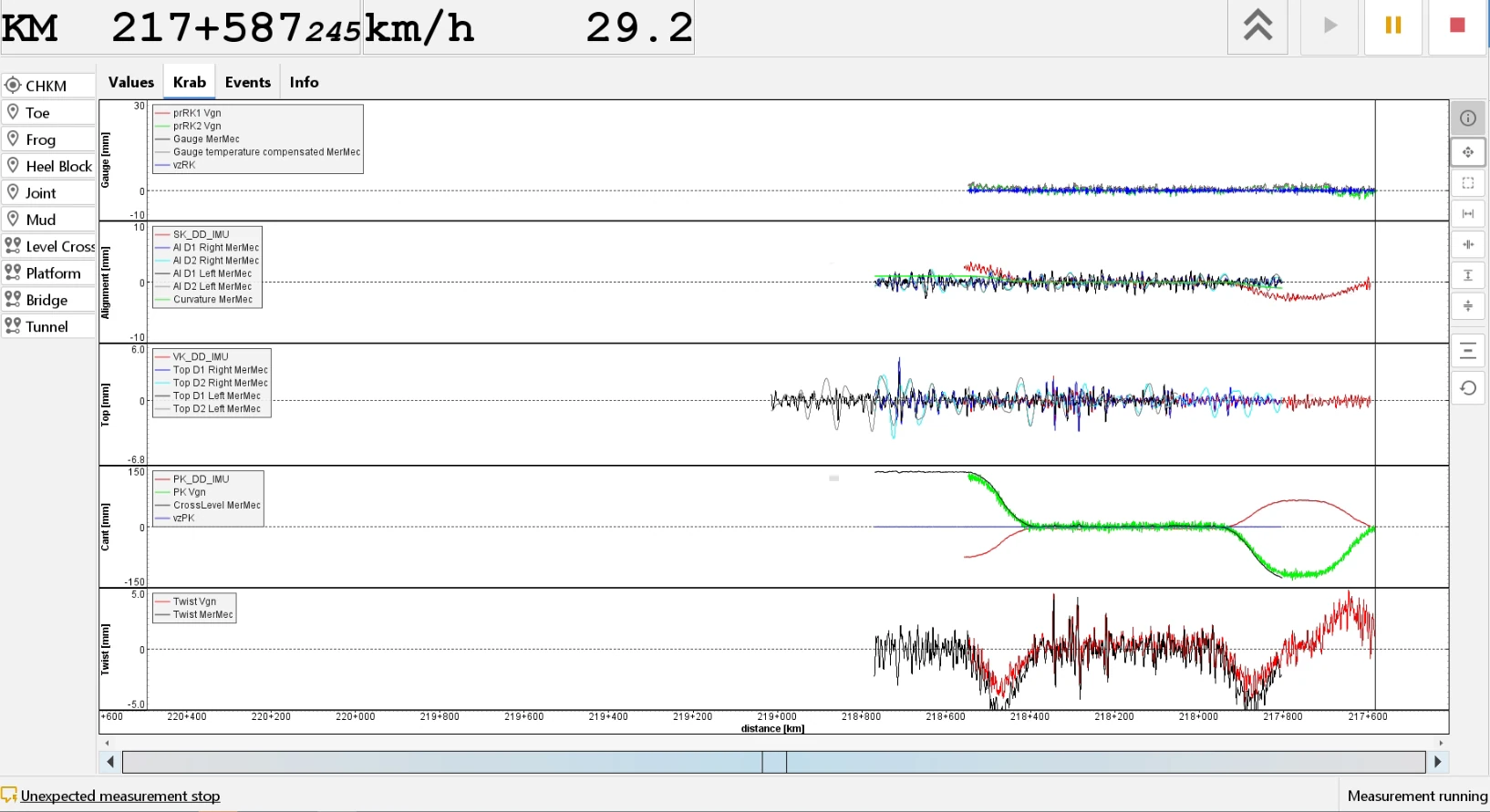
Live track geometry graphs during a run at 29 km/h: gauge, alignment, top, cant and twist against the chainage
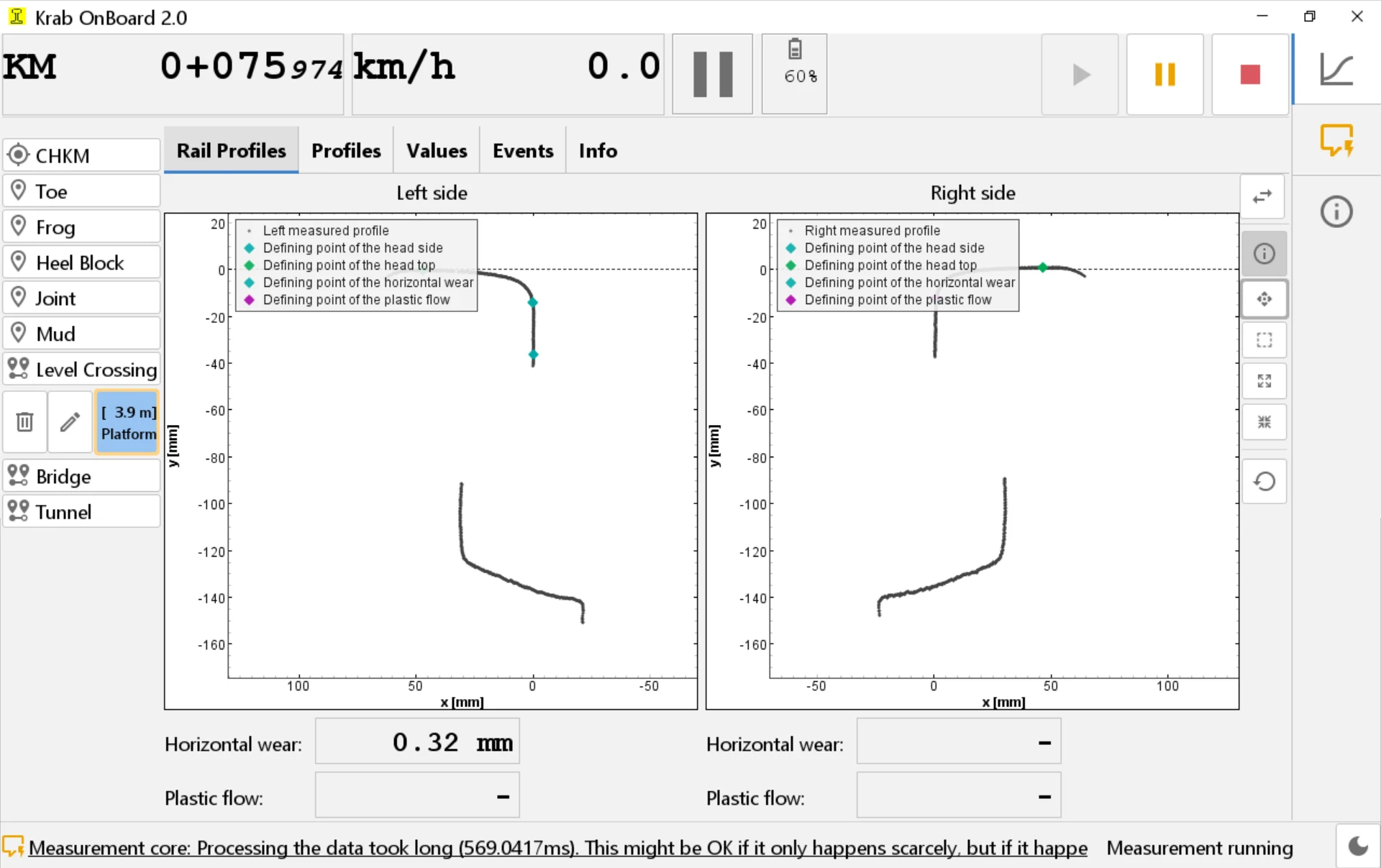
Rail profiles measured live for the left and right rail, with horizontal wear and plastic flow values
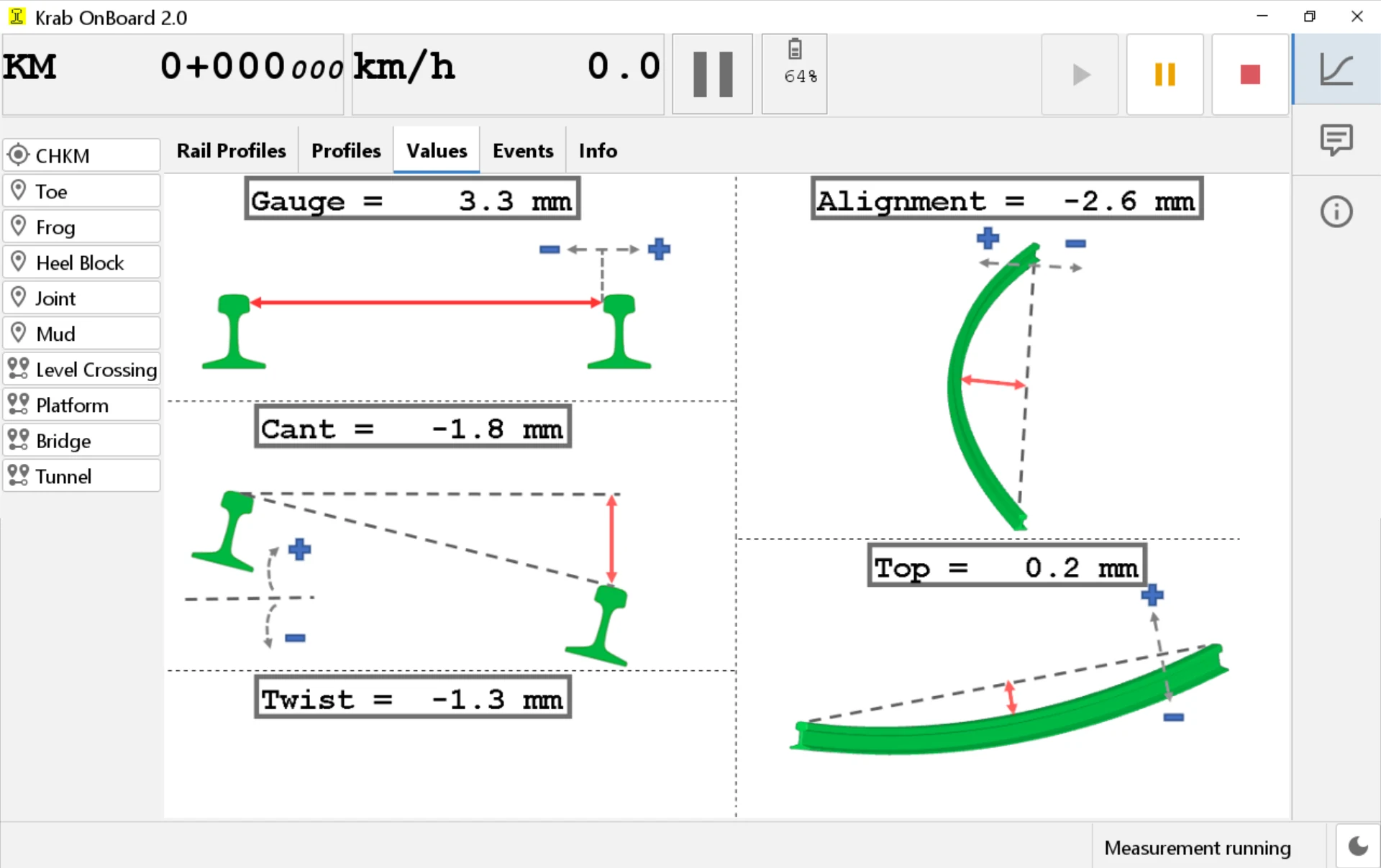
Values view: gauge, alignment, cant, top and twist as large live readings with explanatory sketches
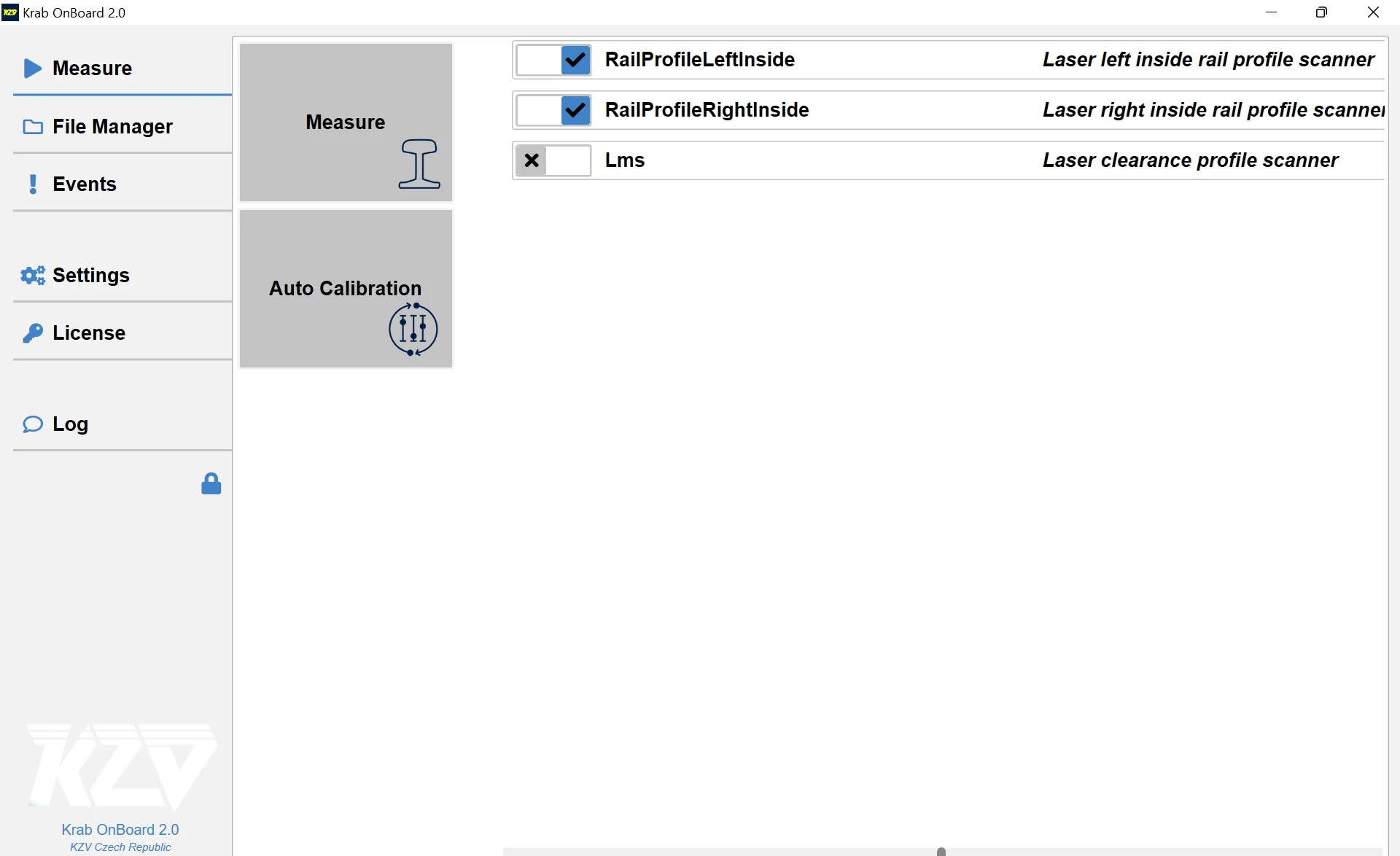
Main menu with the configured sensors: rail profile scanners and the LPS clearance scanner
Key Features
Track Geometry Measurement
Complete geometry parameters: gauge, alignment, longitudinal level, cross level, twist
Rail Profile Scanning
Real-time rail head profile measurement and wear analysis
Equivalent Conicity
tan γe according to EN 15302 calculated live from the gauge and the two rail profiles, with KZV's own implementation
Corrugation Measurement
Rail surface roughness measurement when used with GEKON systems
Clearance Profile (LPS)
Infrastructure clearance scanning with LPS laser scanner add-on
Real-Time Graphs
Live data visualization with multiple graph types and display options
Multi-Device Storage
Save to internal drive, USB flash drive, or network location
Technical Specifications
| Platform | Windows 7, 8, 10, 11 |
|---|---|
| RAM | 4 GB minimum, 8 GB recommended |
| Display | 1280 × 1024 or higher, touch-screen compatible |
| Storage | SSD recommended for continuous data capture |
| Data Format | .kzv, .krx (KZV proprietary) |
Compatible Hardware
This software works with the following KZV products:
On the Vehicle
Krab OnBoard 2.0 runs on a measurement vehicle, a rugged tablet or a field computer. The KRAB, GEKON and LPS hardware is connected over the appropriate interface, and the measurement parameters and display layouts are configured for the installation once. Data can be written redundantly, so a run is not lost when one drive fails.
What Is Measured
Rail profiles are scanned complete, with wear calculated at several angles and the measured profile compared with a reference profile; from the profiles and the gauge, the equivalent conicity according to EN 15302 is calculated during the run. Corrugation is measured with the laser sensors of a GEKON trolley. The LPS laser scanner adds 3D scanning of the surroundings: breach detection, catenary position analysis and the clearance of masts and structures. Track geometry — gauge, alignment, longitudinal level, cross level and twist — is recorded in the same run.
During the Run
Several graph views are shown at once in a layout configured for the job. Threshold exceedances are marked by color-coded alerts, graphs can be zoomed and panned, and profiles are overlaid so several measurements are compared in real time.
Office Evaluation
The measurement files are transferred to the office, where each evaluation program takes the data it needs:
- KRAB 11 — track geometry evaluation and reporting
- Gekon 11 — corrugation analysis in the D1 to D4 wavebands and a custom band
- LPS Evaluation Suite — clearance profile analysis and breach detection
Videos
Krab OnBoard 2.0
Krab OnBoard 2.0 driving a KRAB system in the field: device setup, live monitoring of the measurement and immediate access to the recorded data.
In development
Krab OnBoard 3.0
Krab OnBoard 3.0 is a complete rewrite of the platform — rebuilt for performance, with a redesigned interface and new measurement features. It is already in field use at one site, and we expect it to be ready for most customers around the turn of 2026/2027. Krab OnBoard 2.0 remains the current release, and 3.0 is designed to succeed it on existing installations.
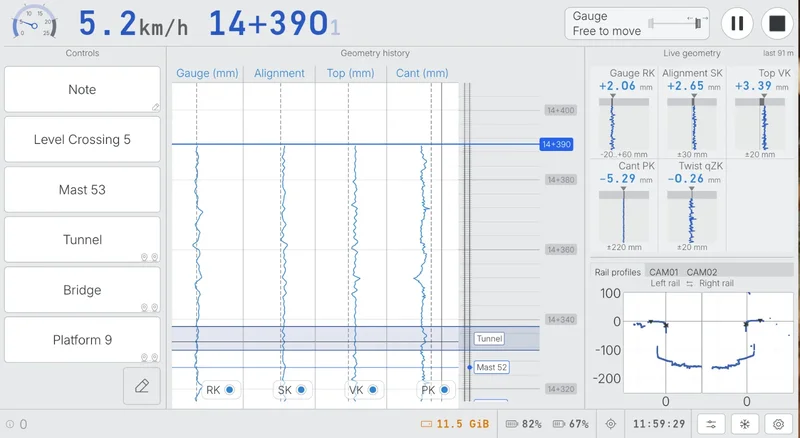
Krab OnBoard 3.0 live measurement screen: feature tagging, scrolling geometry history, live values against tolerance bands and the rail profile view
Ready to Get Started?
Contact us for detailed information, pricing, training, and technical support